Chapter-aware reading
Import a story's ordered chapter list, move between text blocks, and keep forewords or introductions in the author's original order.
 Novel Document Reader
Chrome extension for web-fiction reading
Read stories you can already access inside a quiet, configurable document workspace.
Real extension interface. No conceptual mockups.
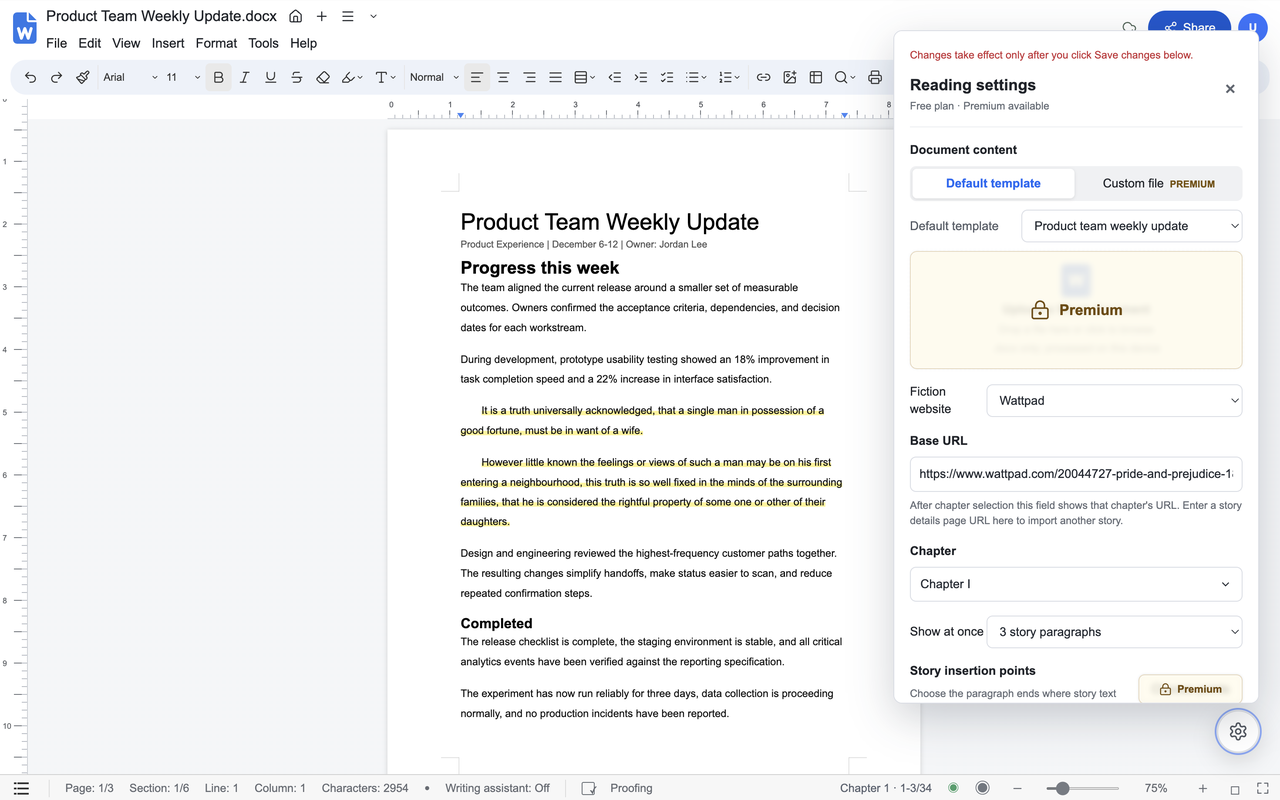
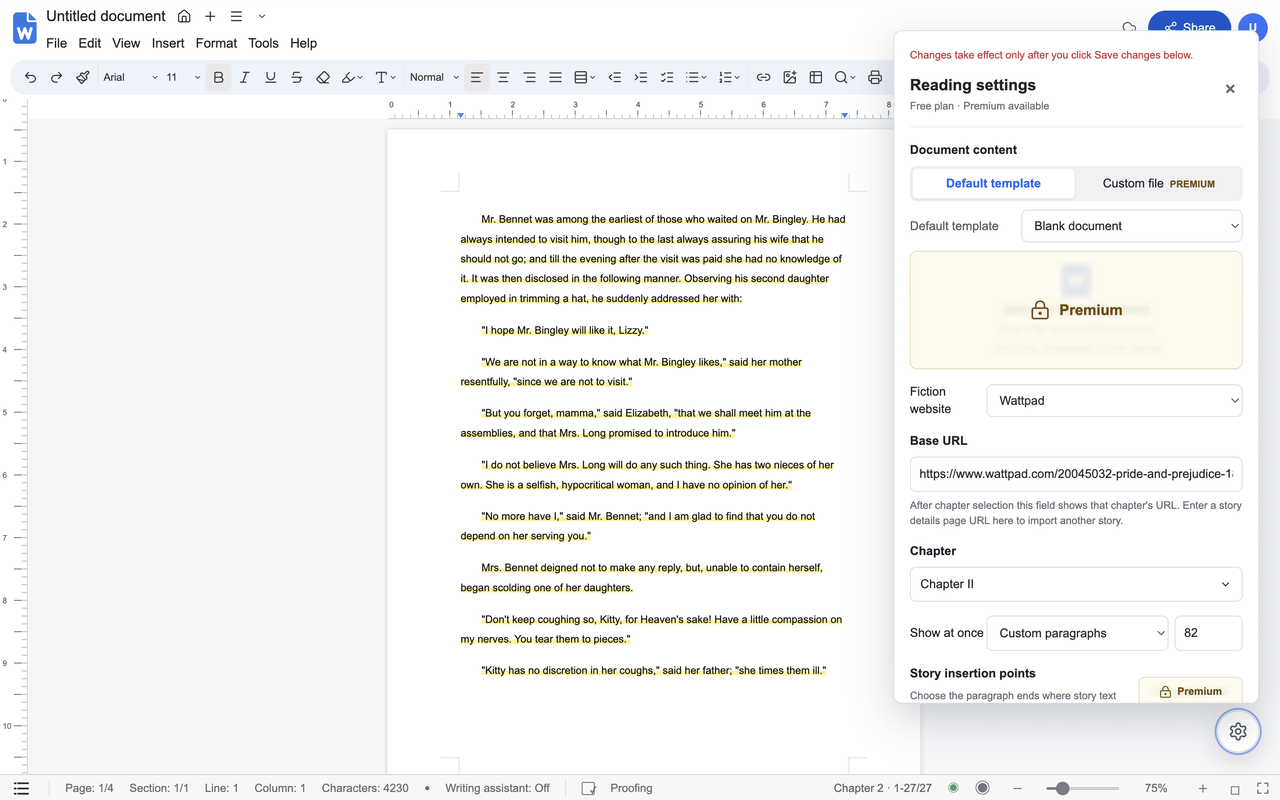
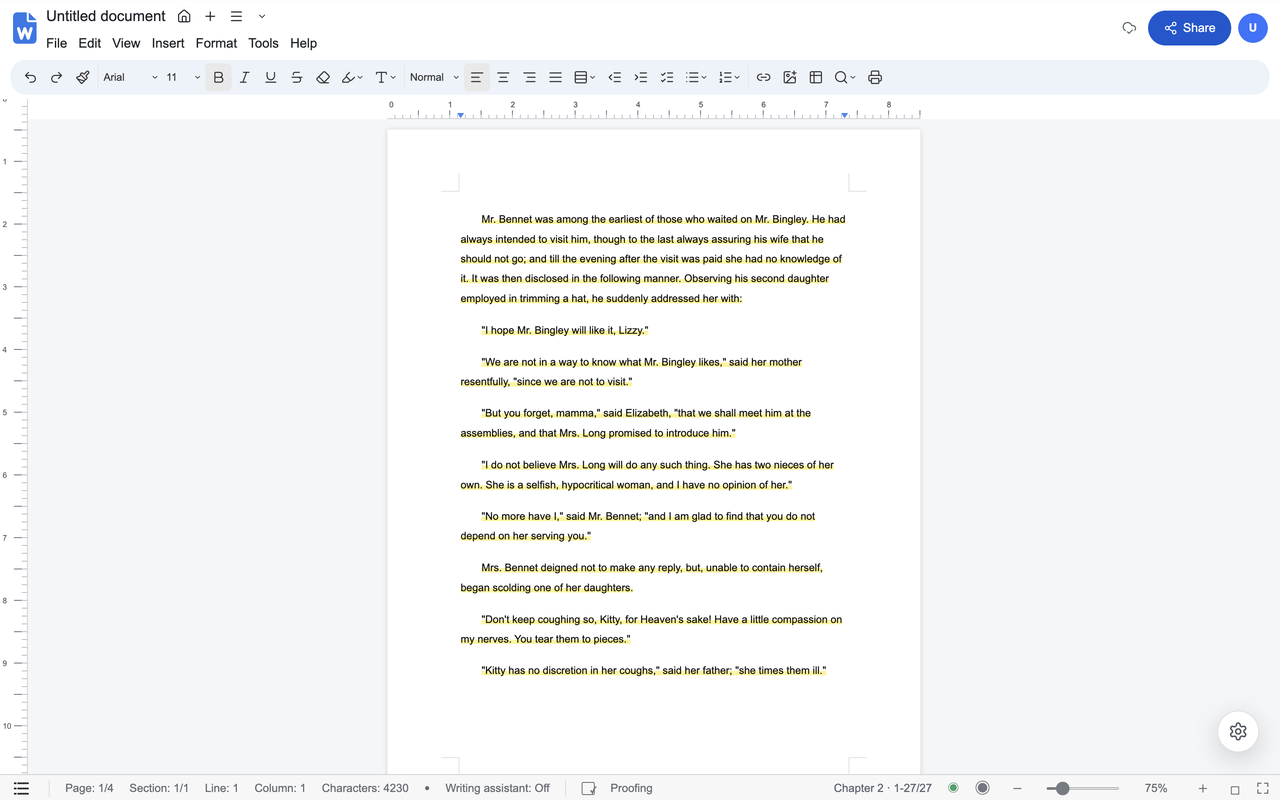
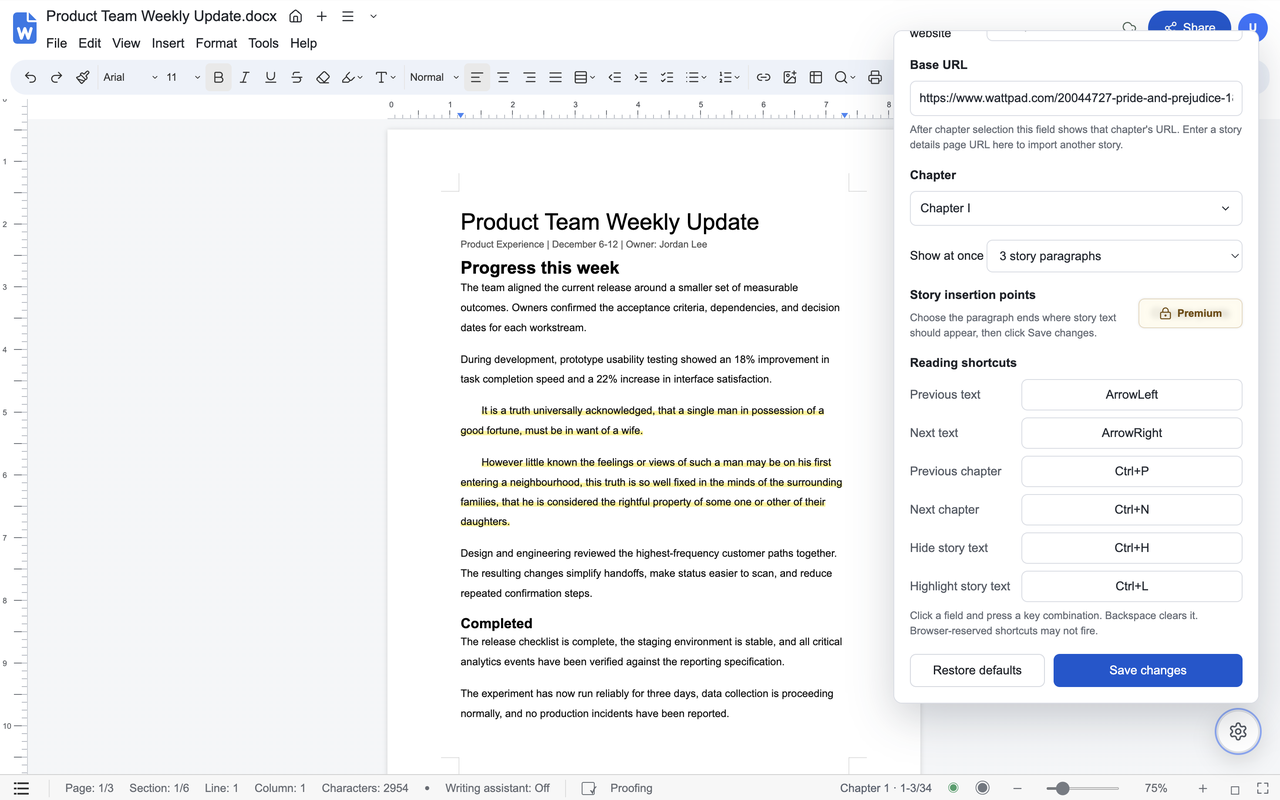
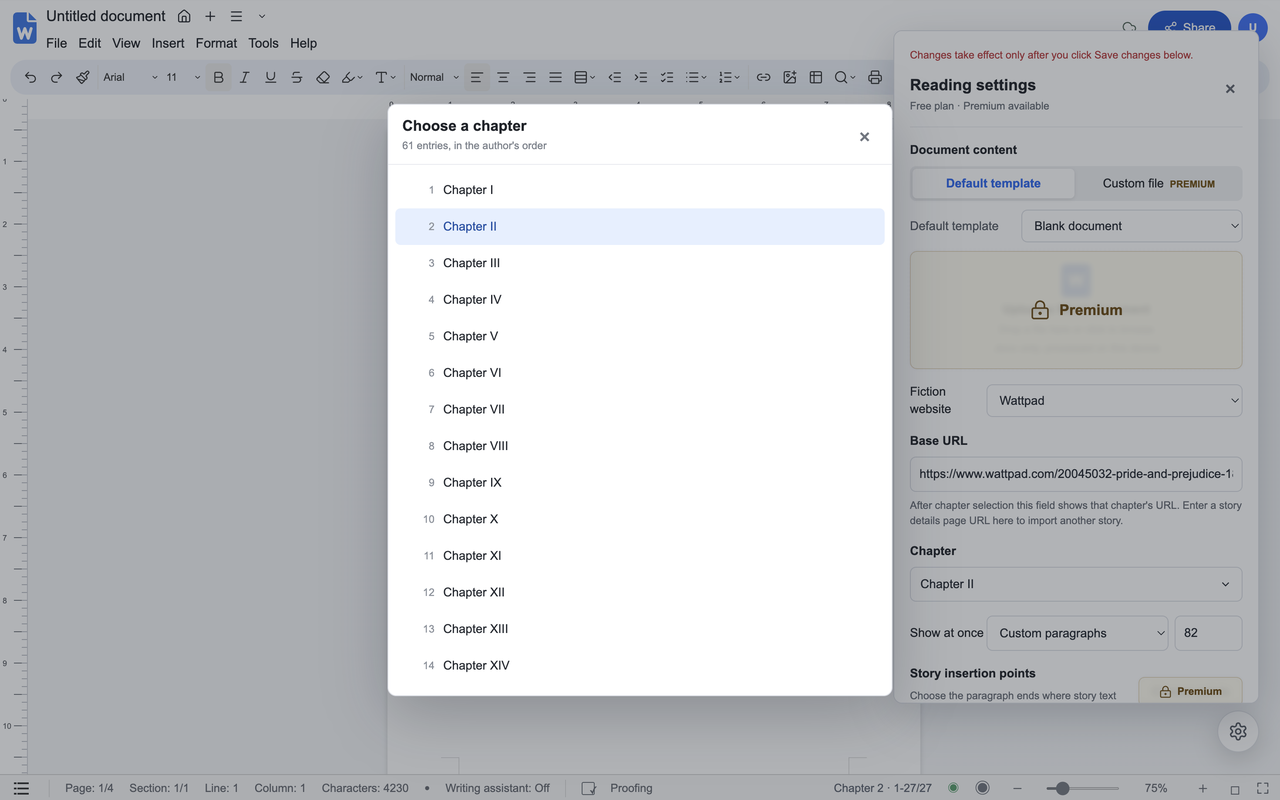
The extension changes the presentation of text you are allowed to view. It does not sell story content or bypass logins, subscriptions, paywalls, age gates, or other access controls.
Import a story's ordered chapter list, move between text blocks, and keep forewords or introductions in the author's original order.
Set shortcuts for previous and next text, chapter changes, temporary hiding, and a persistent pale-yellow reading highlight.
Use the included weekly update or a clean blank document, adjust the number of story paragraphs shown, and zoom from 50% to 200%.
Story text, uploaded documents, profile images, and reading settings stay in Chrome's local extension storage unless a payment-status request is made.
Set up once, then use your own shortcuts to keep reading.
Add Novel Document Reader from its public Chrome Web Store listing and pin it to the toolbar.
Start from a supported Wattpad or Royal Road page that includes its chapter list. Compatible custom HTTPS fiction sites can be authorized separately.
Open the extension. It reads the ordered chapter links and loads the first available chapter into the workspace.
Choose a template, paragraph count, highlight preference, zoom level, and keyboard shortcuts, then save the changes.
The core reader remains free. Premium is a single purchase, not a recurring subscription.
Digital fulfillment: Premium access is activated inside the extension after payment status is confirmed through ExtensionPay and Stripe.
One-time payment
After payment: Refresh the browser tab running Novel Document Reader once to unlock Premium.
Checkout opens from the extension. Taxes may apply depending on location. Premium is generally non-refundable; exceptional requests made within 14 days are reviewed, not automatically approved. Refund policy
Install from the official Chrome Web Store listing. This website does not distribute executable files or collect payment-card details.
Novel Document Reader is a presentation tool. Story rights and access remain with their authors, publishers, and source websites.
Stripe and ExtensionPay process checkout. The extension never receives complete card numbers or CVC values.
The extension does not send document contents, story text, avatars, or reading preferences to the developer for advertising or analytics.
Read the support and policy pages for installation help, refunds, data handling, and purchase restoration.